
Translation app travel tips start paying off before you even board the plane, because the biggest failures happen when you’re tired, offline, or under time pressure and your app suddenly can’t help.
If you’ve ever stood at a ticket machine, a pharmacy counter, or a hotel check-in desk thinking “I just need one sentence to land,” you already know why this matters, a good setup saves time, money, and awkward misunderstandings.

This guide focuses on practical moves, not app hype, how to prep offline language, what to type or say so the app performs better, and where translation apps still struggle so you don’t overtrust them in the wrong moment.
Pick the right translation setup for your trip (not just “best app”)
Most people search for one perfect app, but real travel looks more like “one app for speaking, another for reading menus, and a backup when the internet drops.” Your choice depends on where you’re going, what you’ll do there, and how comfortable you feel with miscommunication risk.
- Short city trip: prioritize speed, camera translation, and favorites for common phrases.
- Multi-country itinerary: prioritize language switching and offline packs for multiple regions.
- Rural areas or road trips: prioritize offline mode, downloaded dictionaries, and lightweight performance.
- Work + travel: prioritize clearer formal phrasing, longer text translation, and exporting text.
According to U.S. Department of State guidance on international travel readiness, having redundant options for communication can help when you’re stressed or dealing with local services, so treat translation as a small part of your overall travel plan.
Pre-trip checklist: the small setup steps that prevent 80% of pain
These translation app travel tips are boring, which is why they work, you do them once, then you stop fighting your phone in the middle of the street.
- Download offline language packs for your destination and any connection city.
- Pin essential phrases in one tap: “Please speak slowly,” “I’m allergic to…,” “Where is the restroom?”
- Enable microphone and camera permissions before you leave, permissions prompts are slower on roaming data.
- Add your hotel address in the local language into Notes and favorites.
- Set a keyboard shortcut or text replacement for your most-used sentence (varies by phone).
- Pack power basics: cable, wall adapter, and a power bank, translation dies with the battery.
One more thing people skip, practice for two minutes at home, speak one sentence, use camera mode on a label, and see how the app behaves when you talk fast.
Use the app better in the moment: input tactics that improve accuracy
When translation goes wrong, it’s often the input, not the language model. If you want more reliable results, change how you speak and what you type.
When speaking
- Say one idea per sentence, avoid “I was wondering if maybe…” filler.
- Use specific nouns: “train to Osaka” beats “the train over there.”
- Pause between clauses so the app doesn’t merge meanings.
- Ask for confirmation: “Is this correct?” then show the screen.
When typing
- Remove idioms: “I’m beat” often translates oddly, “I’m very tired” travels better.
- Add context words if needed: “allergy medicine” instead of just “medicine.”
- Use numbers for times, dates, sizes, and prices, it reduces ambiguity.
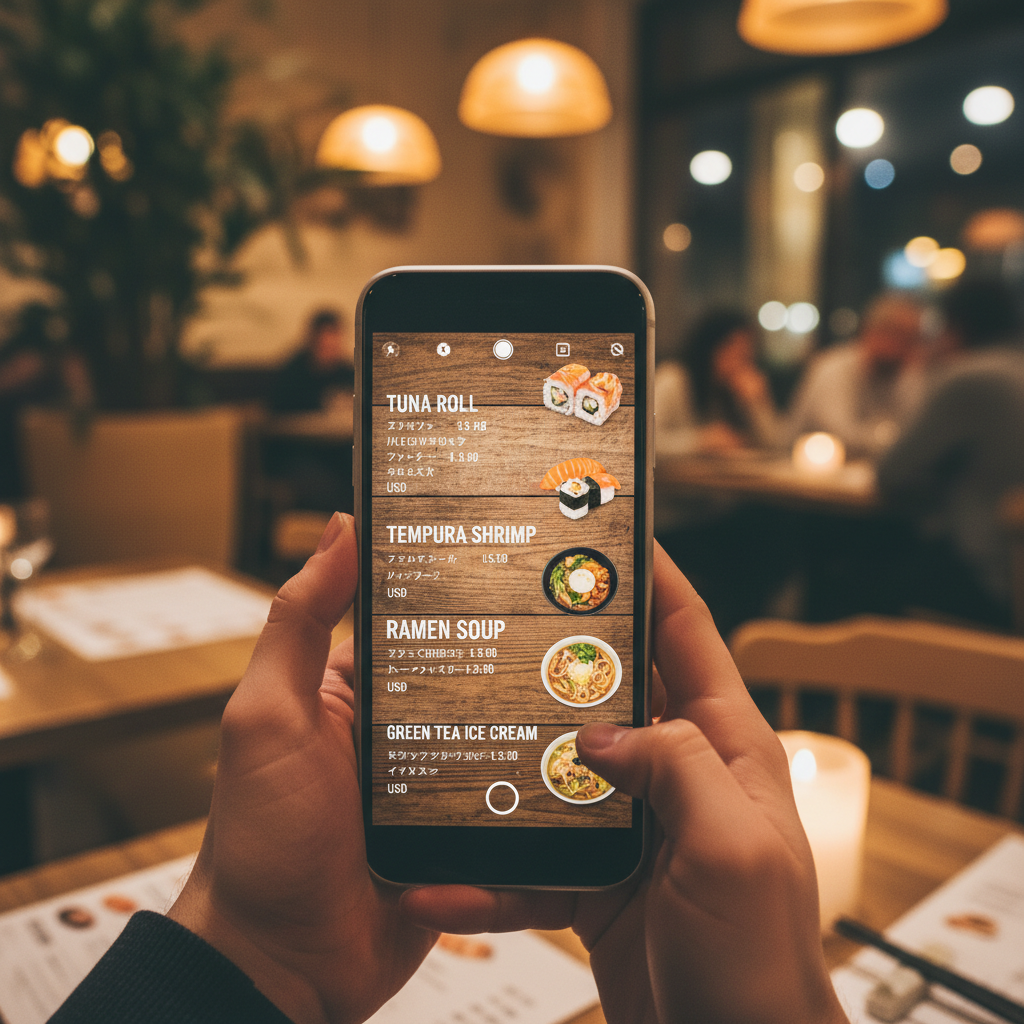
Camera translation is great for menus and signs, but it can misread stylized fonts and poor lighting, step back, steady your hand, and try again before you trust a weird-sounding result.
Quick self-check: are you using a translation app safely and realistically?
Translation tools are helpful, but they’re not a substitute for situational awareness, especially in travel scenarios where a misunderstanding can cost you time or money.
- You can complete a basic request offline without panic.
- You have one backup option (another app, phrasebook screenshots, or a local contact).
- You know the app’s weak spots: names, slang, jokes, and fast group conversations.
- You avoid translating sensitive content (passport details, banking info) on unknown networks when possible.
- You can recognize when the output “sounds too long” for what you asked, a common red flag.
If you checked only one or two, that’s normal, it just means your next step is more setup and less improvising.
Practical scenarios: what to do and what to say
These are the moments where translation app travel tips earn their keep, because you’re under time pressure and the other person wants clarity, not a paragraph.
Hotels and check-in
- Show: “I have a reservation under [NAME].”
- Ask: “Can you write the Wi‑Fi name and password?”
- If something’s wrong: “This is different from my booking, can we check together?”
Transportation and tickets
- Ask: “One ticket to [CITY], leaving today, what time is next?”
- Confirm: “Platform number?” “Direct or transfer?”
- Screenshot confirmation screens so you can point instead of re-explaining.
Restaurants, dietary needs, and allergies
- Use plain language: “I cannot eat peanuts. Is this safe?”
- Keep a saved allergy card in the local language and show it first.
- When unsure, pick simpler dishes, translation apps can miss “contains traces” type warnings.
For medical allergies or serious health conditions, it’s smart to consult a medical professional before travel and carry written guidance, apps can help communicate but shouldn’t be your only safety layer.
Common mistakes that make translations worse (and how to avoid them)
- Talking too much: long emotional explanations produce messy output, trim to the request.
- Trusting slang: casual US phrasing often doesn’t map cleanly, go literal.
- Ignoring formality: some cultures expect more polite phrasing, your app might default too blunt, add “please” and “excuse me.”
- Assuming English brand names translate: show the screen, show a photo, or type the exact product name.
- Forgetting noise: in markets and stations, voice input struggles, switch to typing or show prewritten text.

One underrated trick is to keep your “top 10” sentences as saved favorites, when you can show a clean, prewritten line, you avoid voice errors and you look calmer.
Mini playbook: a simple workflow you can follow every time
If you want something repeatable, use this loop, it keeps conversations short and reduces the chance you walk away with the wrong answer.
- Step 1: Write one clear sentence in English.
- Step 2: Translate, then read it back in English using reverse translation if your app supports it.
- Step 3: Show the translated line first, then speak it if needed.
- Step 4: Ask a yes/no confirmation question, “Yes?” “Correct?”
- Step 5: Save that phrase if you’ll reuse it.
Quick comparison table: which feature matters in which situation
This table isn’t about brands, it’s about matching features to real travel moments so you spend money and time in the right places.
| Travel situation | Most useful feature | Why it helps | Watch out for |
|---|---|---|---|
| Train station / airport | Offline mode + large text | Works without signal, easier to show quickly | Voice input struggles in noise |
| Menus / signs | Camera translation | Fast scanning, less typing | Stylized fonts and low light cause errors |
| Taxi / rides | Saved address phrases | Reduces wrong destination risk | Similar street names, confirm with map |
| Shopping | Image + short typed queries | Point-and-ask works across accents | Product names may not translate |
| Emergencies | Prewritten emergency card | Clarity under stress | Apps may fail, have offline backup |
Key takeaways you can actually use tomorrow
- Prepare offline language and favorites, that’s the highest-return move.
- Short inputs translate better, one sentence, one request.
- Show the screen and confirm yes/no, don’t rely on your ear.
- Keep a backup, screenshots and a second tool beat wishful thinking.
Wrap-up: make the app your assistant, not your lifeline
Translation apps are at their best when you treat them like a fast assistant, not a magic passport, a little prep, cleaner sentences, and a backup plan turn “I hope this works” into “I can handle this.”
If you’re traveling soon, do two things today, download offline language packs and save a handful of phrases you know you’ll need, that alone usually changes the whole trip feel.
FAQ
What are the most important translation app travel tips for first-time international travelers?
Download offline language packs, save essential phrases, and practice voice and camera mode at home, you want fewer surprises when you’re tired or in a rush.
Do translation apps work without internet when traveling?
Many can work offline for core translation if you download languages ahead of time, but features like conversation mode or higher-accuracy options may still depend on data.
How do I avoid embarrassing translation mistakes?
Keep sentences short, avoid slang, and use reverse translation to sanity-check, if the back-translation looks off, rewrite simpler and try again.
Is camera translation reliable for food allergies?
It can help, but packaging and menus vary, and subtle warnings may get missed, for serious allergies, carry a prewritten allergy card and consider medical guidance before travel.
What should I do if someone speaks too fast for my app?
Use a saved phrase like “Please speak slowly” and switch to showing text on screen, in noisy places, typing usually beats voice.
Can I use a translation app for legal or medical situations abroad?
It may help communicate basics, but it’s not a substitute for a qualified interpreter or professional advice, if stakes are high, ask for official help through local services or your embassy resources.
How can I protect privacy when using translation apps abroad?
Avoid entering sensitive personal data when you’re on public Wi‑Fi, use cellular or a trusted network when possible, and keep screenshots of essential phrases instead of sharing documents.
If you’re planning a trip and want a more “set it and forget it” setup, build a small travel language kit on your phone, offline packs, saved phrases, and a backup note with addresses, it’s a quick project that tends to pay you back every day you’re abroad.